
Evolution
- Images: 1 image.
- Logic: Generates variations at different “evolution” levels while keeping the original mood; higher strength = more change from the source.
Settings panel:
- Strength: Level 1–5 (5 steps); higher = more variation.
- Level guide:
- Lvl 1: Light tweaks
- Lvl 2: Structure adjust
- Lvl 3: Geometric shift
- Lvl 4: Full rework
- Lvl 5: Stylized take
- Click 「开始演变」 (Start evolution) to generate; default is level 1.
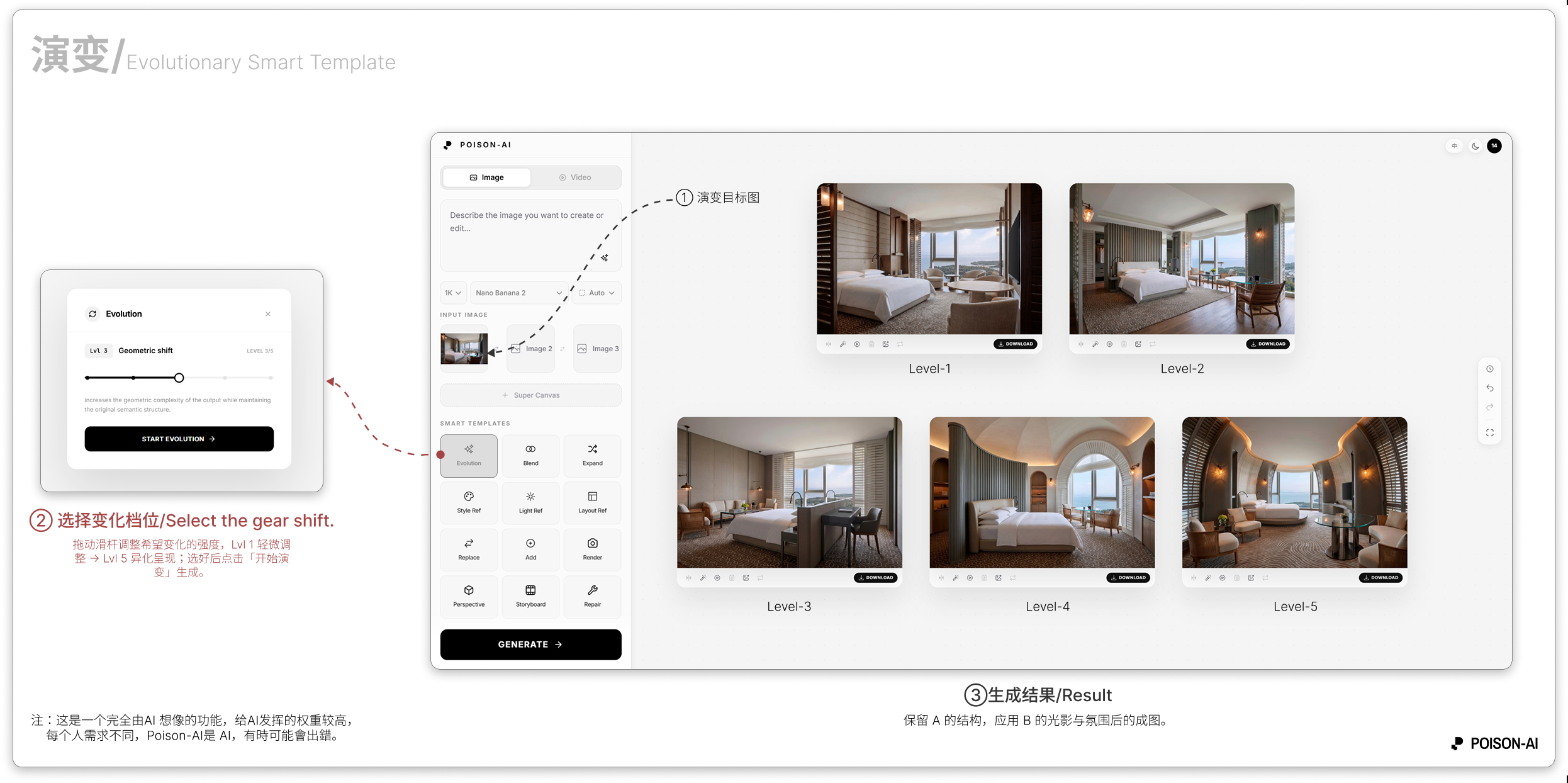
- The Result area shows the output at the selected strength; compare with the Level 1–5 slider in the panel.
If the product changes this template, follow the in-app UI.