
Lens presets (camera movement)
In video mode, lens presets define how the camera moves. The system combines the corresponding instruction with your prompt and sends it to the video model to produce a short clip with that camera movement. There are 13 presets.
Preset list and effect
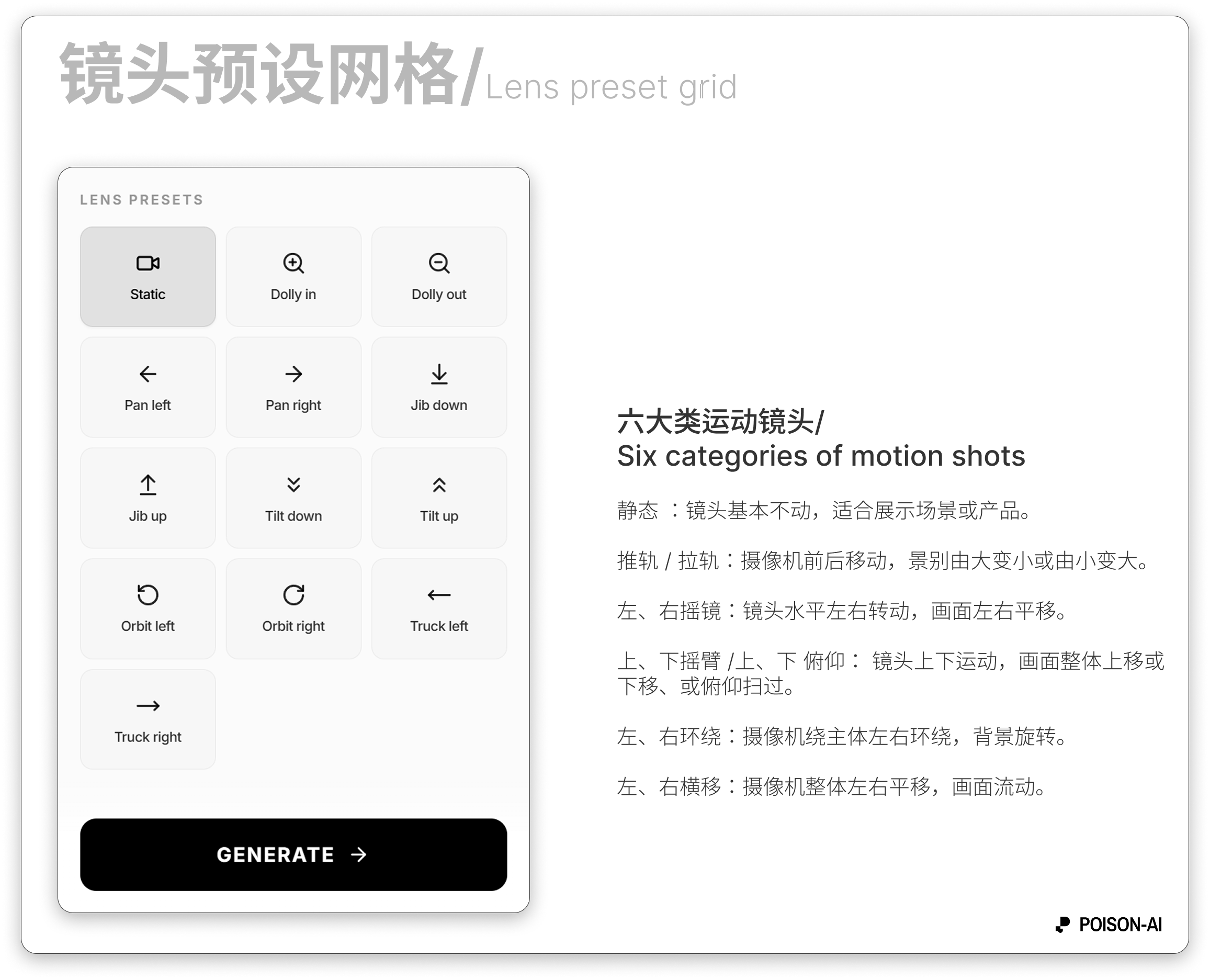
| Name (CN) | Name (EN) | Effect |
|---|---|---|
| 静态 | Static | Camera mostly fixed; stable shot, good for scenes or products. |
| 向前推轨 | Dolly in | Camera moves forward; shot gets “closer” to the subject; wider to tighter. |
| 向后拉轨 | Dolly out | Camera moves back; shot “recedes”; tighter to wider. |
| 向左摇镜 | Pan left | Camera pans left; frame moves left-to-right (like turning your head left). |
| 向右摇镜 | Pan right | Camera pans right; frame moves right-to-left. |
| 向下摇臂 | Jib down | Jib moves down; frame shifts down (e.g. high angle to eye level). |
| 向上摇臂 | Jib up | Jib moves up; frame shifts up (e.g. eye level to low angle). |
| 向下俯仰 | Tilt down | Lens tilts down; frame sweeps top to bottom. |
| 向上俯仰 | Tilt up | Lens tilts up; frame sweeps bottom to top (e.g. ground to sky). |
| 向左环绕 | Orbit left | Camera orbits subject left; subject stays centered, background rotates left. |
| 向右环绕 | Orbit right | Camera orbits subject right; background rotates right. |
| 向左横移 | Truck left | Camera trucks left; frame flows left-to-right (camera position moves, unlike pan). |
| 向右横移 | Truck right | Camera trucks right; frame flows right-to-left. |
How to use
- In video mode, the left panel has the 「镜头预设」 grid; click a preset to select (highlight), click again to clear.
- When selected, the preset name (e.g. “向前推轨”) and a clear button appear next to the prompt; at generation time the preset instruction is combined with your prompt.
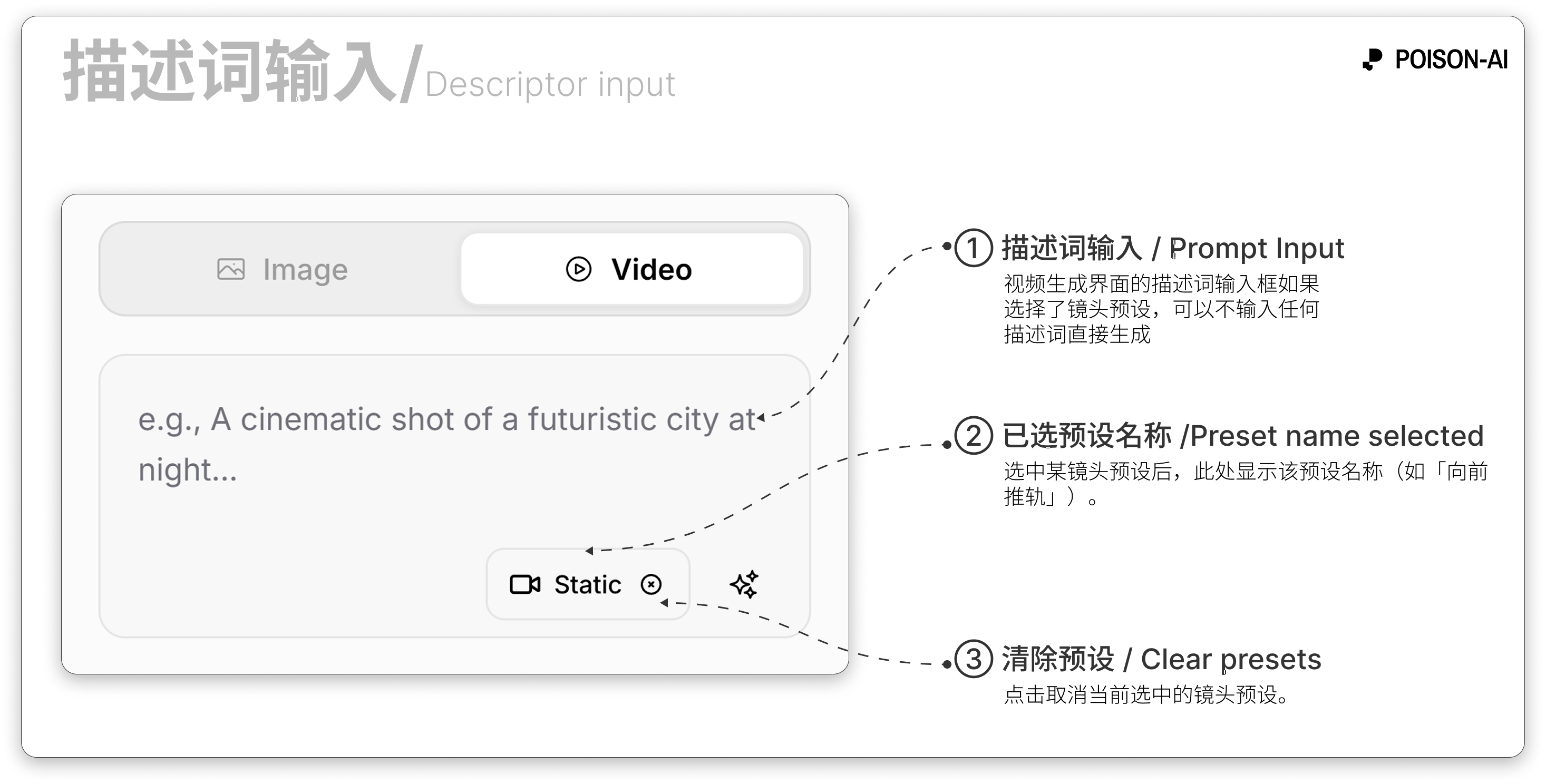
- Generate is enabled when at least one of: prompt, lens preset, or at least one image (first frame) is set.
Summary
- 13 lens presets: Static plus dolly, pan, jib, tilt, orbit, and truck (each in two directions where applicable).
- Each preset has a fixed camera-movement style; actual output depends on the video model.
- If the product adds, removes, or renames presets, follow the in-app UI.