
Storyboard
- Images: 1 image.
- Logic: Turns one image into a multi-view storyboard grid (e.g. for presentations or storyboards).
Settings panel:
- Preset grid: 2×2, 3×3, 4×4 (three buttons; default 3×3).
- Custom layout: Custom field for e.g. 4×3, 2×3; custom overrides the preset.
- Click 「开始生成分镜」 (Start storyboard) to run; each cell in the result can “Extract this cell” onto the canvas.
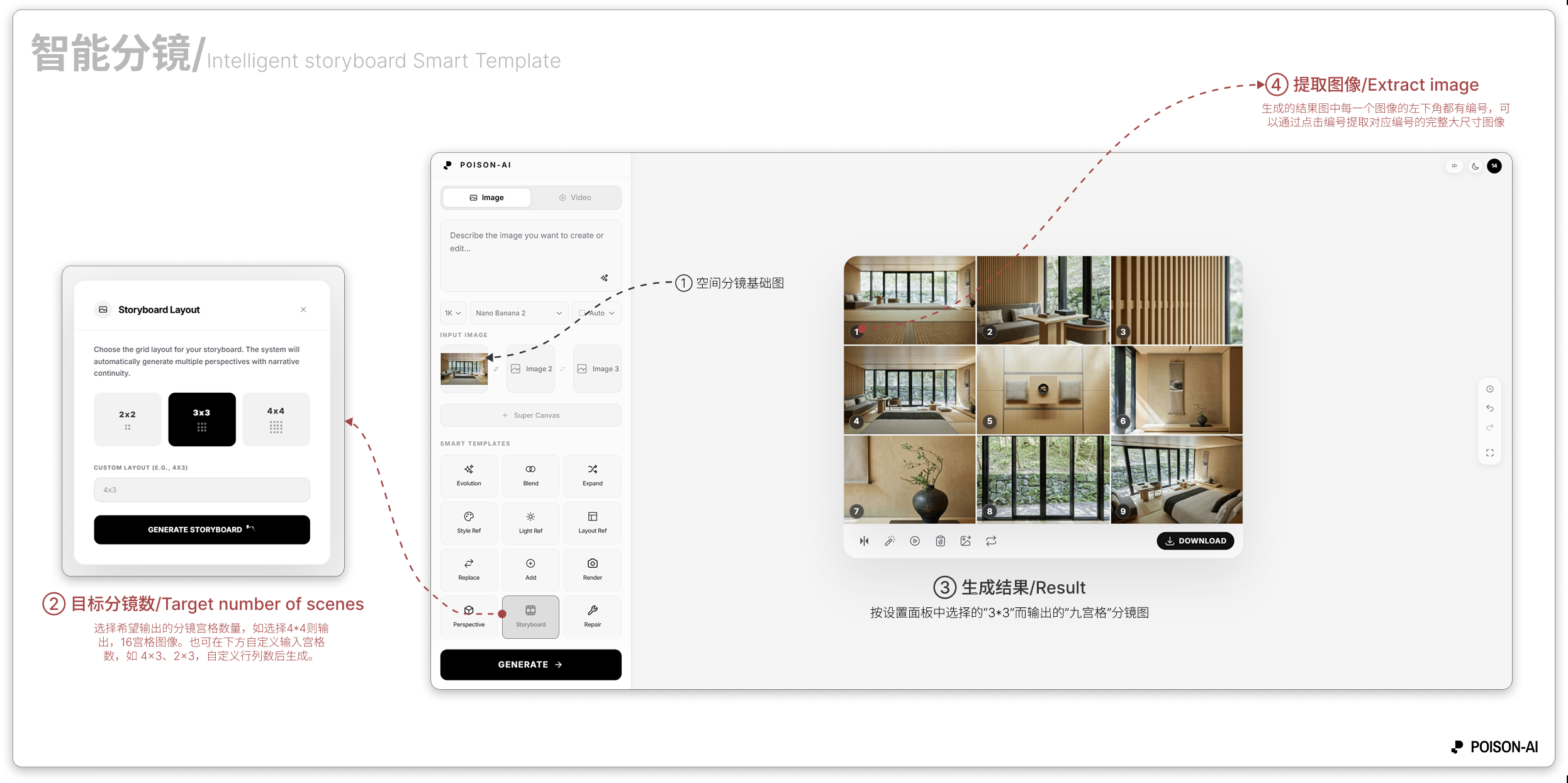
- Extract image numbering: left-to-right, top-to-bottom (e.g. 2×2 → ①–④, 3×3 → ①–⑨, 4×4 → ①–⑯); each cell can be extracted to the canvas.
If the product changes this template, follow the in-app UI.